Create Children's Storybooks with Make.com & Flux AI
Build automated children's storybook workflows with Make.com and Flux AI. Generate illustrated books in 3 minutes from topic to finished product.
Ready to automate?
Start building this workflow with Make.com — free forever on the starter plan.
Overview
This tutorial thoroughly analyzes how to use Make.com and Flux AI to fully automate creation of illustrated children’s storybooks with consistent style in 3 minutes.
This solution achieves full automation from topic input to publication:
- Topic Input - Enter storybook theme in Notion
- Story Creation - GPT auto-generates story content
- Illustration Generation - Flux AI generates scene-based images
- Layout Integration - Auto-integrates image-text layout
- Publication Prep - Can connect to WeChat Official Accounts and other platforms
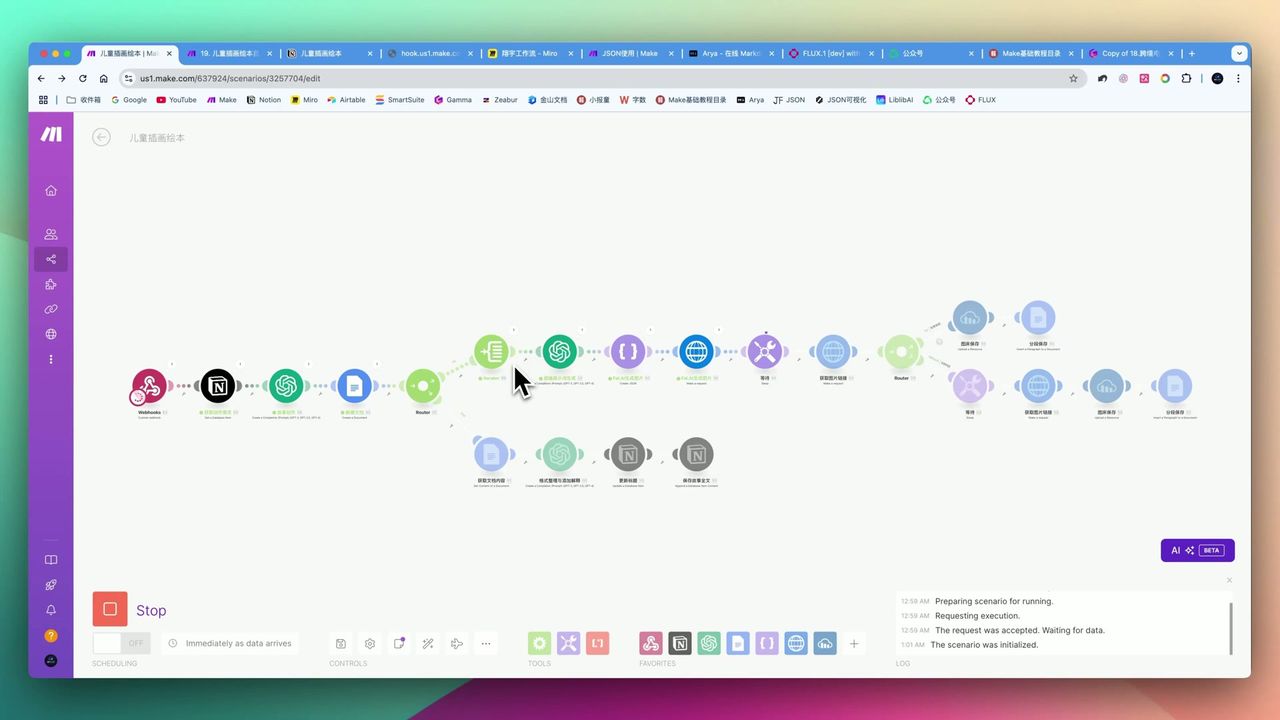 Complete workflow: Notion trigger → GPT story creation → Flux.ai image generation → Google Docs integration
Core Decision Factors
When choosing this type of automation solution, focus on:
- Automation Level & Efficiency - Is process smooth, achieves “one-click generation”
- Content Quality & Consistency - Are generated stories and image styles unified
- Tool Integration & Ease of Use - How tools collaborate, configuration difficulty
- Publishing Channel Support - Can easily publish to target platforms
- Cost-Effectiveness - Is workflow running cost reasonable
Technical Specifications
| Specification | Value | Notes |
|---|---|---|
| Storybook Generation Time | 3 minutes | Complete ~5-image storybook |
| GPT Structured Output Success Rate | >99% | After enabling JSON parsing option |
| Paragraph Word Control | 150-200 words | Customizable |
| English Prompt Length | 400-500 words | Flux.ai image generation prompt |
| Flux.ai Image Gen Speed | 2-3 seconds | First Lora model load may take 10+ seconds |
| Flux.ai Usage Cost | $2-3 | Pay-as-you-go, lasts quite long |
| Image Output Size | 1024x1024 | Customizable ratio |
| Image Iteration Steps | 27-28 steps | Affects generation quality |
| Lora Model Weight | 1 or 0.8 | Controls style intensity |
Prerequisites
Before starting, ensure you have:
- Make.com account
- OpenAI API key (for GPT-4o story generation)
- Flux AI account (for AI illustration)
- Notion account (for triggering and storage)
- Cloudinary or other image hosting account (for image hosting)
- Optional: Custom Lora model (for consistent style)
Step 1: Configure Notion Trigger
Create storybook database in Notion with these fields:
- Theme (Title) - Storybook theme
- Language (Select) - Chinese/English
- Paragraph Words (Number) - Words per paragraph limit
- Status (Select) - To Generate/Generating/Completed
- Start (Formula) - Trigger link
Configure Formula field to generate Webhook trigger link, click to start workflow.
Step 2: GPT Story Creation Module
Use OpenAI GPT-4o to generate structured story content.
Key Configuration:
- Enable advanced settings in Make.com GPT module
- Turn on strict JSON parsing option (success rate >99%)
- Set output format including: title, paragraph content, scene description
Prompt Design Points:
Please create a children's storybook based on the theme, requirements:
1. Divide into 5 paragraphs, each 150-200 words
2. Each paragraph includes clear scene description (for illustration generation)
3. Language vivid and interesting, suitable for ages 3-8
4. Output strict JSON format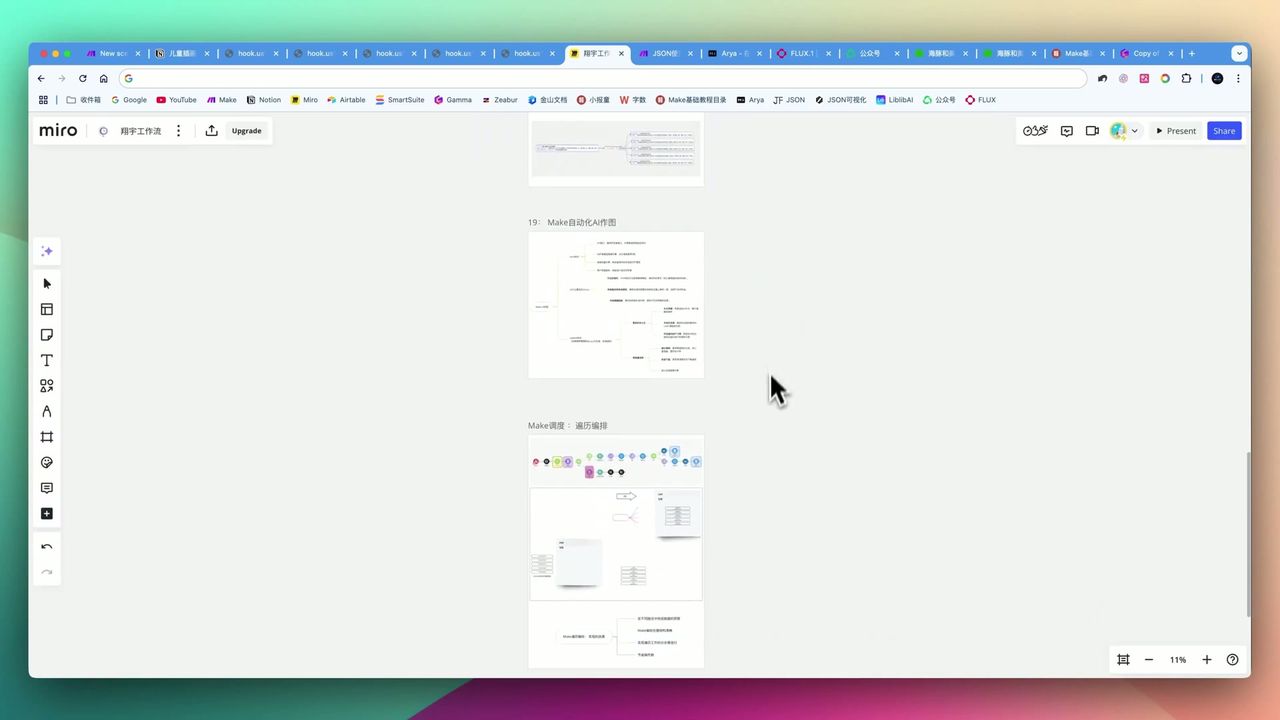 Understanding the difference between Array and Collection in Make.com is crucial
Step 3: Flux AI Image Generation
Generate matching illustrations based on story scene descriptions using Flux AI.
Basic Configuration
- Model: Flux.1
- Steps: 27-28 steps
- Sampler Scale: 3.5
- Output Size: 1024x1024
Using Lora Models for Style Consistency
This is key to maintaining unified storybook style!
 Get custom Lora models from LiblibAI and similar sites
Lora Model Configuration Points:
- Set weight to 1 or 0.8
- Need direct download link of model
- First model load takes a few minutes
Note: Without Lora model, even with same prompt, different generations may vary greatly in style.
Step 4: Content Integration & Layout
Use Google Docs or similar tools to integrate image-text content.
In Make.com:
- Use iterator to process each paragraph
- Upload generated images to image hosting (like Cloudinary)
- Get image URLs and insert into document
- Finally integrate into Notion or export
Final Effect
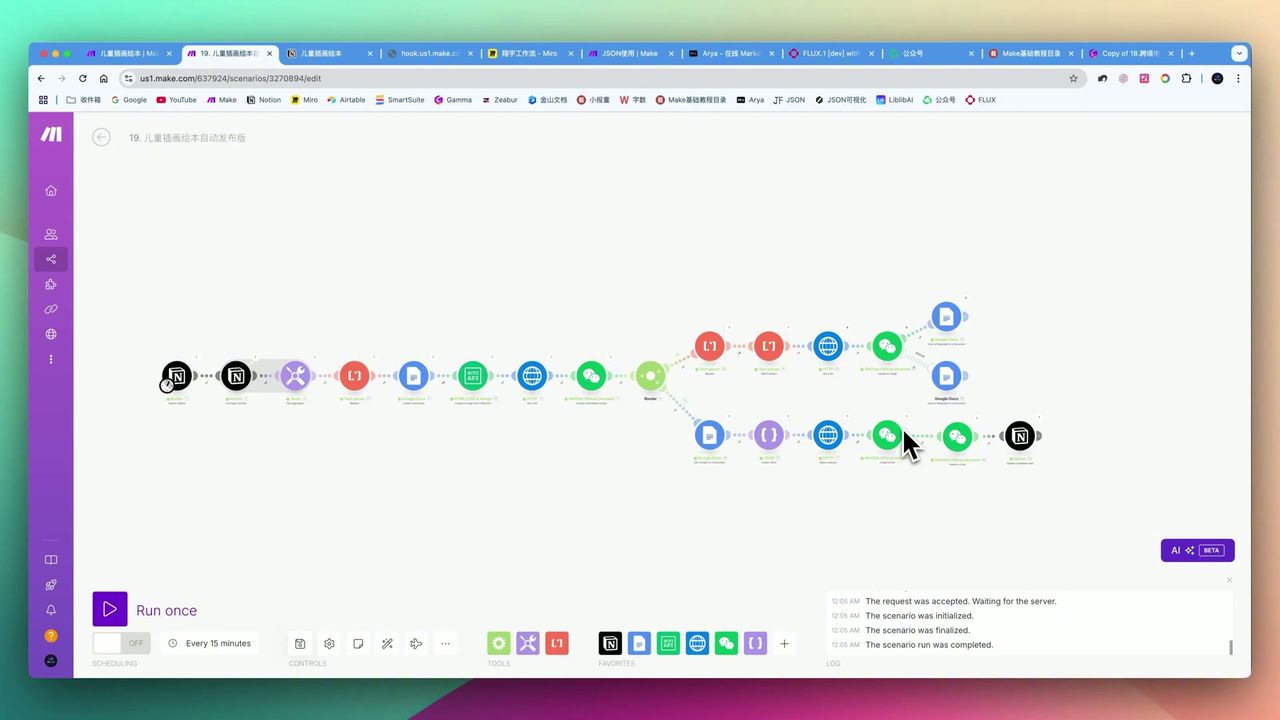 Tiger and snake dream adventure storybook inside page, illustrated layout effect
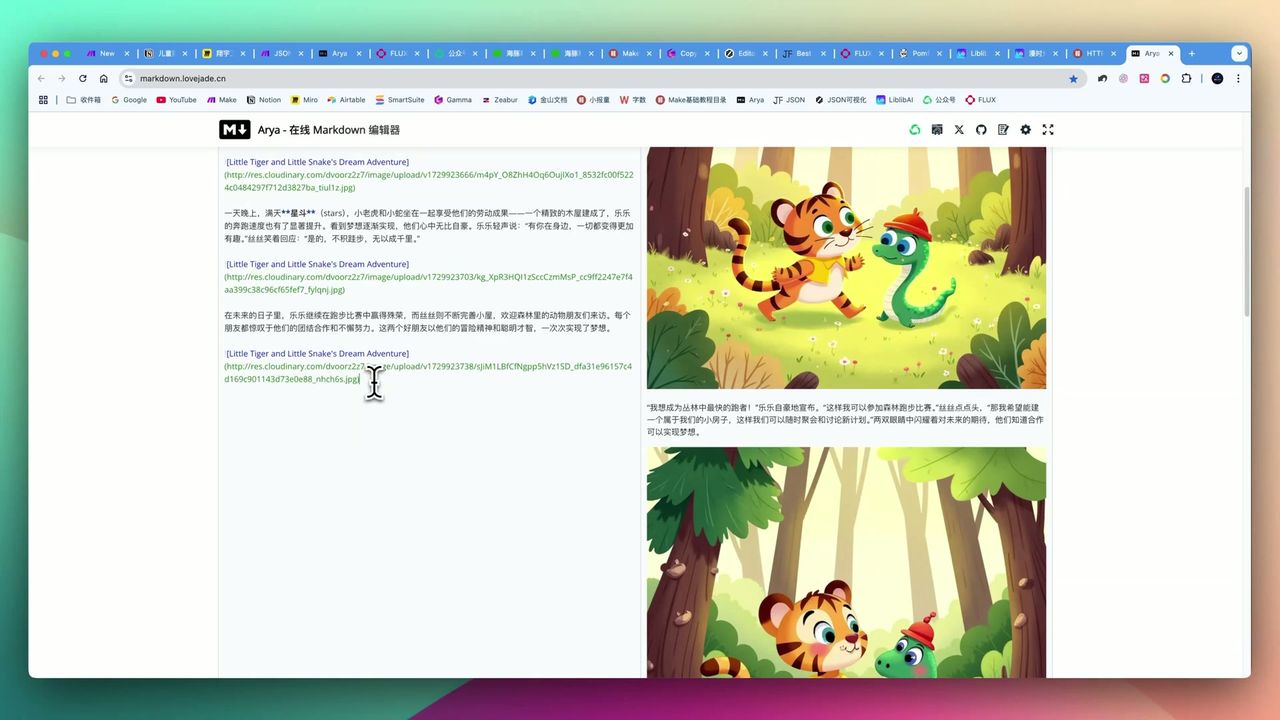 Complete storybook displayed in Notion, including story, illustrations, and key vocabulary
Important Notes
Things to note during setup:
-
Character Consistency Lacking - Basic workflow can’t guarantee complete character appearance consistency, needs more advanced techniques
-
WeChat Publishing Limitations - Official account auto-publish only to external links, final push still needs manual review
-
JSON Output Stability - Must enable strict JSON parsing option in Make.com GPT module
-
Lora Direct Link Acquisition Difficulty - Getting direct download links from cloud storage may need extra effort
-
First Model Load Time - Flux.ai first Lora model load takes a few minutes
-
Workflow Debugging Cost - Involves multiple API calls, debugging process may incur costs
-
Copyright Authorization - When using custom Lora models commercially, must obtain original author’s authorization
Use Cases
Recommended For
- Children’s Content Creators - Need to batch produce high-quality children’s storybooks
- WeChat Official Account Operators - Need frequent updates of children’s themed articles
- AI Automation Enthusiasts - Enjoy learning complex multi-platform automation solutions
- Startups/Studios - Seeking low-cost high-efficiency content production solutions
May Not Suit
- Users pursuing perfect character image consistency
- Complete beginners with automation platforms and AI tools
- Users preferring one-click simple operations
- Commercial users with strict originality and copyright requirements
FAQ
How long to generate a storybook?
About 3 minutes to complete a 5-image illustrated storybook, including story generation and illustration creation.
How to maintain consistent illustration style?
Use custom Lora models to ensure all generated images maintain unified artistic style. Without Lora, images from same prompt may vary greatly in style.
Can it be used commercially?
When using custom Lora models for commercial purposes, must obtain original author’s authorization to avoid copyright disputes.
How difficult is workflow configuration?
Relatively complex configuration involving Make.com, Notion, OpenAI, Flux.ai, Cloudinary, and other platform integrations. Users unfamiliar with API, JSON, Webhooks may need extra learning time.
Next Steps
After learning the basic workflow, you can try:
- Add character consistency control module
- Integrate more publishing platforms (like social media)
- Optimize Lora model acquisition process
- Add multilingual translation functionality
Feel free to leave comments if you have questions!
FAQ
- How long to generate a storybook?
- About 3 minutes to complete a 5-image illustrated storybook, including story generation and illustration creation.
- How to maintain consistent illustration style?
- Use custom Lora models to ensure all generated images maintain unified artistic style. Without Lora, images from same prompt may vary greatly in style.
- Can it be used commercially?
- When using custom Lora models for commercial purposes, must obtain original author's authorization to avoid copyright disputes.
- How difficult is workflow configuration?
- Relatively complex configuration involving multiple platform integrations. Users unfamiliar with API, JSON, Webhooks may need extra learning time.
Start Building Your Automation Today
Join 500,000+ users automating their work with Make.com. No coding required, free to start.
Get Started FreeRelated Tutorials
Create Viral Content with Make.com & DeepSeek AI
Build Notion Book Library with Make.com & GPT-4o Vision
Automate Blog Writing with Make.com & Firecrawl Web Scraper
Automate PDF Analysis with Make.com & Kimi 128K Context
About the author
Alex Chen
Automation Expert & Technical Writer
Alex Chen is a certified Make.com expert with 5+ years of experience building enterprise automation solutions. Former software engineer at tech startups, now dedicated to helping businesses leverage AI and no-code tools for efficiency.
Credentials