Build Notion Book Library with Make.com & GPT-4o Vision
Automate book data extraction from Douban using HCTI screenshots and GPT-4o image recognition. Extract titles, authors, ratings to Notion.
Ready to automate?
Start building this workflow with Make.com — free forever on the starter plan.
Overview
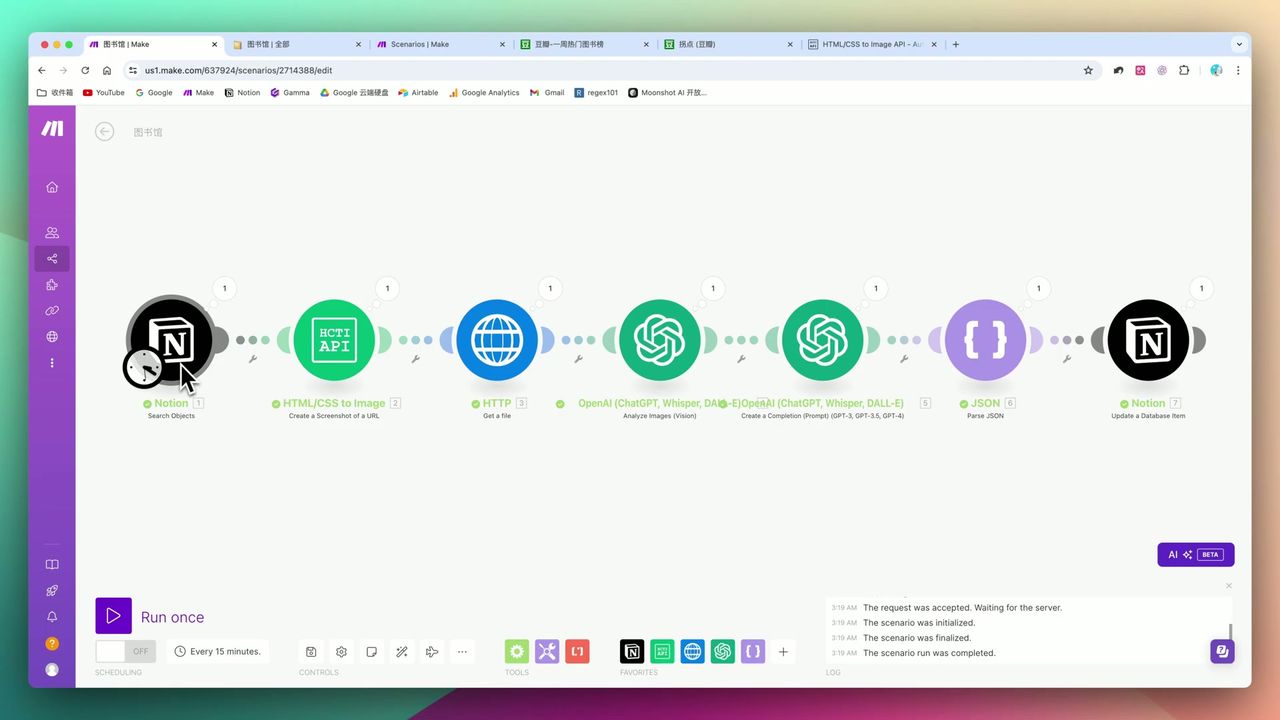
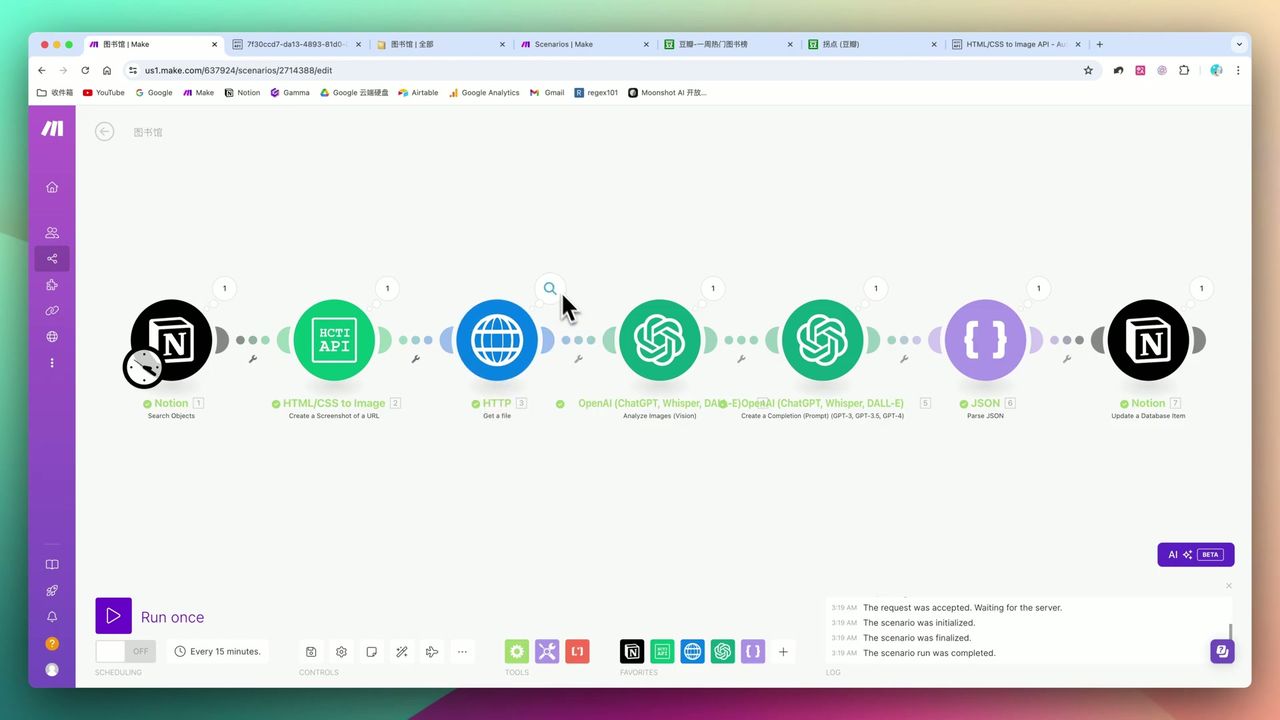
This is an intelligent book management solution leveraging GPT-4o’s multimodal capabilities.
Through the innovative approach of web screenshots + AI image recognition, bypass traditional crawler limitations to achieve automated book information collection:
- Trigger Task - Notion database status change trigger
- Web Screenshot - HCTI converts Douban page to image
- AI Recognition - GPT-4o extracts structured data from image
- Format Conversion - Ensure output as standard JSON format
- Data Storage - Auto write-back to Notion knowledge base
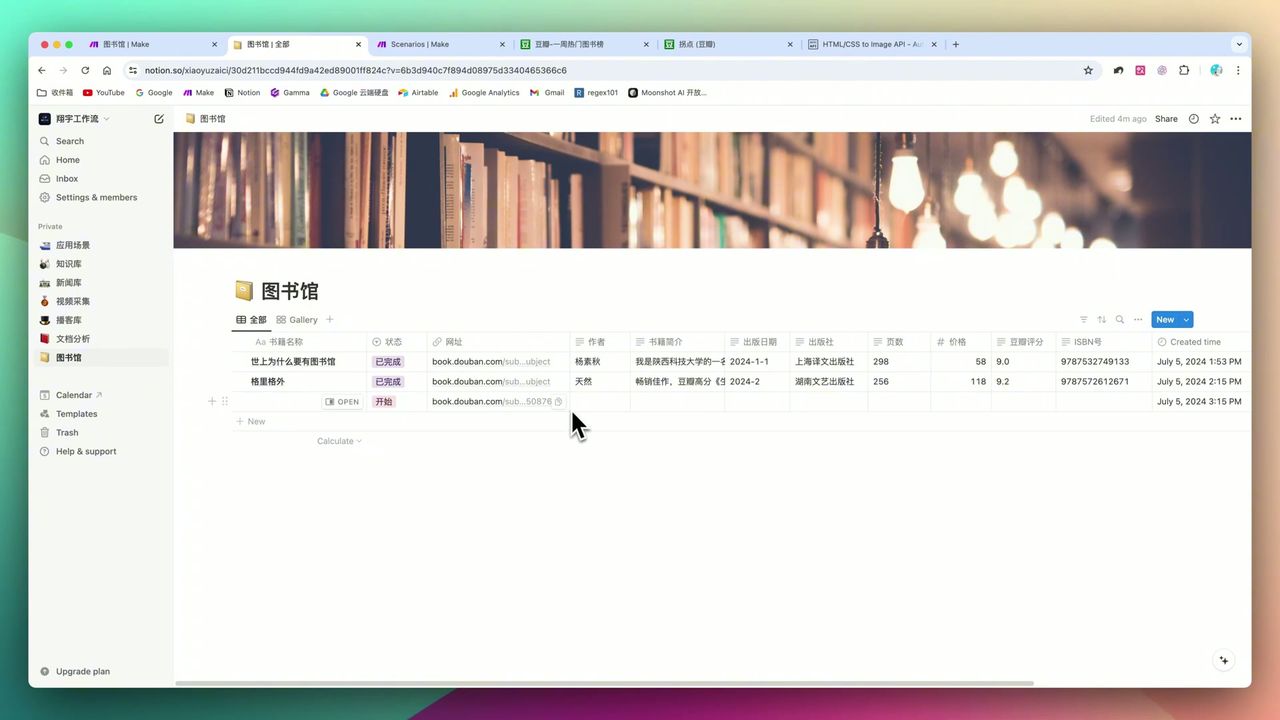 Auto-filled book information display
Core Decision Factors
When choosing book management automation solutions, consider:
- Automation Efficiency - Can significantly reduce manual entry time
- Data Accuracy - Are extracted book titles, authors, ratings accurate
- Ease of Use - Technical barrier for setup and maintenance
- Cost - Free quota and long-term costs of third-party services
- Scalability - Can apply to other data collection scenarios
Technical Specifications
| Specification | Value | Notes |
|---|---|---|
| HCTI Free Quota | 50 times/month | Web screenshot service |
| Screenshot Pixel Density | Recommend 3 | Improve clarity for accurate recognition |
| GPT-4o Token | 1000-3000 | Adjust based on needs |
| Extracted Fields | 4-6 | Title, author, publisher, pages, price, rating, etc. |
Prerequisites
Before starting, ensure you have:
- Make.com account (free registration)
- OpenAI API key (needs GPT-4o support)
- HCTI account (htmlcsstoimage.com)
- Notion account and database
Notion Database Structure
Create book management database with these fields:
- Title (Title) - Book title
- Link (URL) - Douban book page link
- Status (Select) - Pending/Start/Completed
- Author (Text) - Author information
- Publisher (Text) - Publisher name
- Publication Year (Text) - Publication year
- Pages (Number) - Page count
- Price (Text) - Price
- Douban Rating (Number) - Rating
Workflow Architecture
Phase 1: Trigger & Retrieval
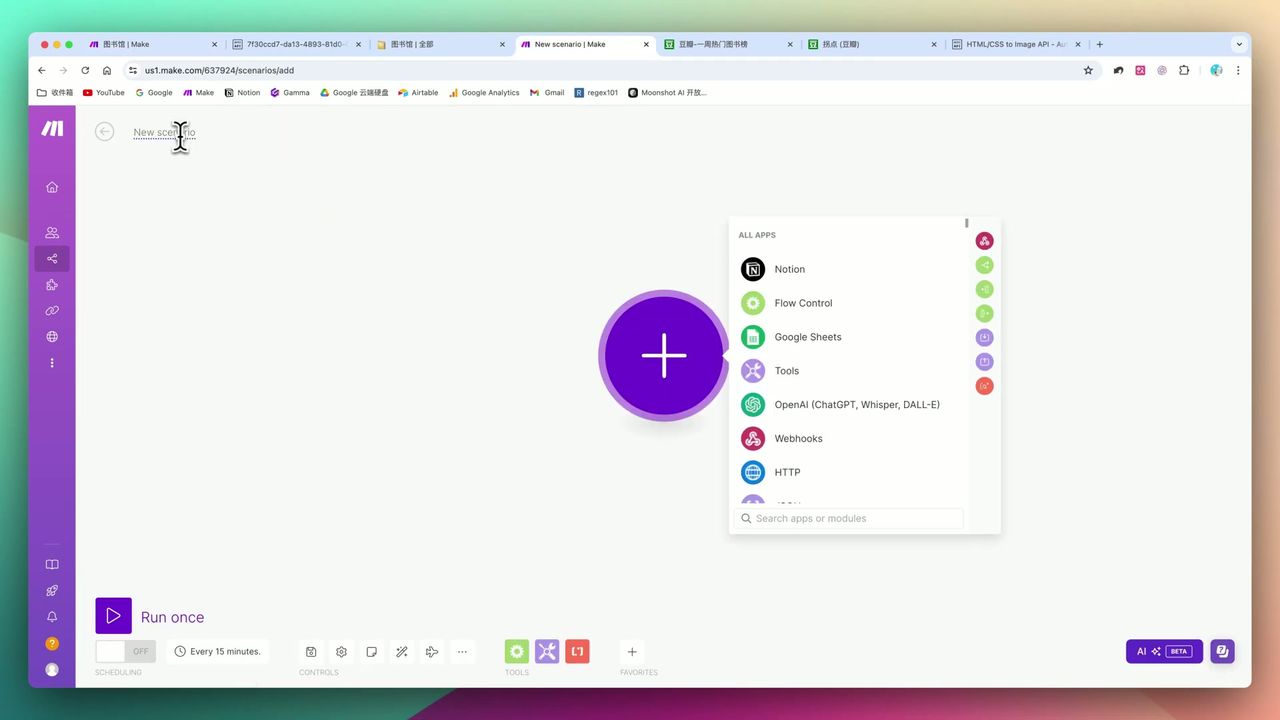 Notion database retrieval module configuration
Use Notion Watch Database Items to monitor status changes:
Configuration Points:
- Monitor condition: Status field becomes “Start”
- Get fields: Link URL
Phase 2: Web Screenshot
 Convert URL to image with HCTI module
Use HCTI to convert Douban page to image:
Configuration Points:
- URL: Douban link from Notion
- Pixel density: Set to 3 (improve clarity)
- Output format: PNG or JPG
Why use screenshots? Sites like Douban have anti-scraping mechanisms, making direct HTML scraping difficult. Screenshot + AI recognition bypasses technical limitations.
Phase 3: GPT-4o Multimodal Recognition
 GPT-4o multimodal model recognizes image content
Send screenshot to GPT-4o for information extraction:
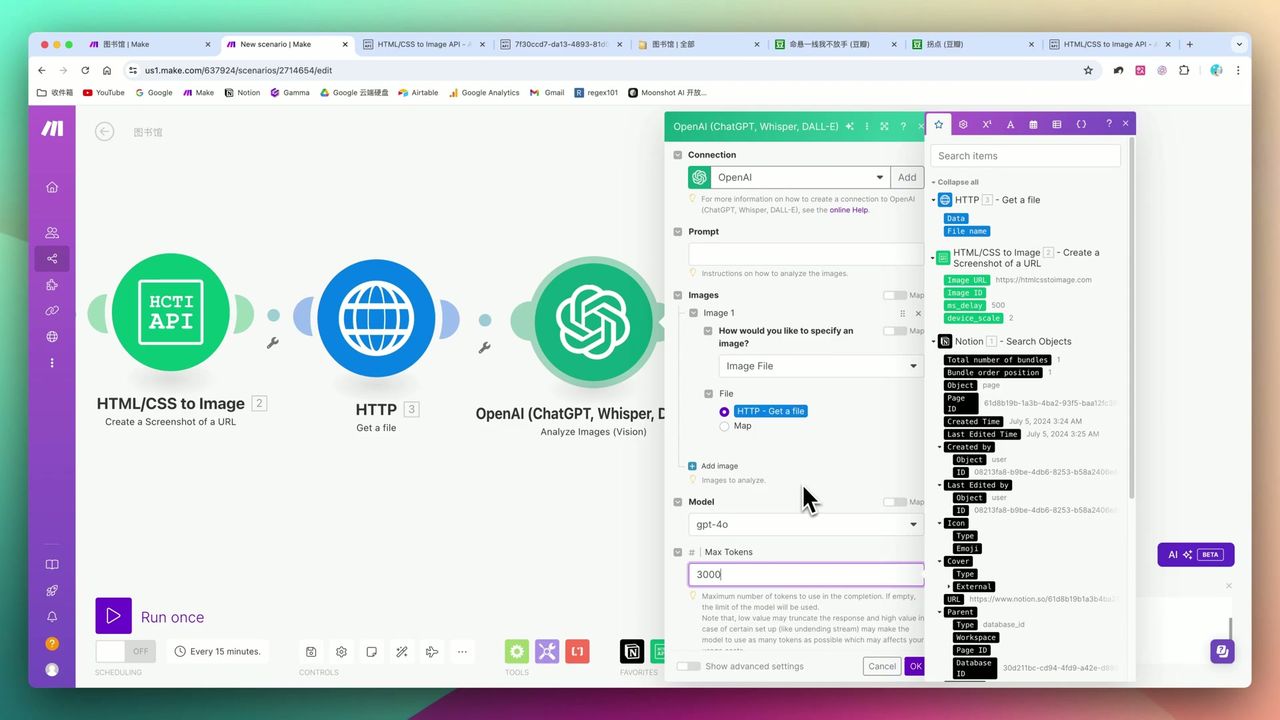 Structured prompt example
Prompt Design:
Please extract the following information from this Douban book page screenshot:
1. Book title
2. Author
3. Publisher
4. Publication year
5. Page count
6. Price
7. Douban rating

Please return in JSON format, use English field names:
{
  "title": "",
  "author": "",
  "publisher": "",
  "year": "",
  "pages": "",
  "price": "",
  "rating": ""
}
Phase 4: JSON Format Guarantee
GPT-4o multimodal module can’t 100% guarantee JSON format output, need extra processing:
Solution:
- Add regular OpenAI chat module
- Request convert previous output to standard JSON
- Ensure data can be correctly parsed by subsequent modules
Phase 5: Write Back to Notion
Update extracted structured data to Notion database:
Mapping Relations:
- title → Title
- author → Author
- publisher → Publisher
- year → Publication Year
- pages → Pages
- price → Price
- rating → Douban Rating
- Status → Completed
Extended Applications
This workflow isn’t limited to book management, can extend to:
- Product Price Monitoring - Screenshot e-commerce pages, extract price changes
- Stock Trend Analysis - Screenshot market pages, extract key data
- Job Posting Scraping - Screenshot job pages, extract position info
- Competitor Analysis - Screenshot competitor pages, extract product info
Just adjust the prompt to adapt to different scenarios.
Important Notes
Common “pitfalls” in practice:
-
Recognition Accuracy - Image-based recognition may have minor errors, complex characters or special layouts have higher risk
-
JSON Output Instability - Multimodal module needs additional chat module to ensure JSON format
-
Screenshot Clarity - Recommend pixel density set to 3, too low affects recognition accuracy
-
Platform Sharing Restrictions - Platforms like YouTube may restrict content containing JSON brackets from sharing
Use Cases
Recommended For
- Digital Knowledge Management Enthusiasts - Want to efficiently manage personal book collections or reading lists
- Data Collection Users - Need to scrape structured data from web pages
- Automation Explorers - Interested in Make.com and GPT-4o applications
May Not Suit
- Users completely unfamiliar with technical configuration and unwilling to learn
- Scenarios requiring 100% ultimate data accuracy
- Users with minimal monthly processing volume where manual entry costs less
FAQ
Why use screenshots instead of directly scraping web pages?
Sites like Douban have anti-scraping mechanisms, making direct scraping difficult. Screenshot + GPT-4o multimodal recognition bypasses technical limitations and works for any webpage.
Is HCTI’s free quota enough?
50 free screenshots per month, usually sufficient for personal book management scenarios. Consider paid plans for heavy use.
How accurate is recognition?
Based on testing, GPT-4o recognition accuracy is very high, but may have minor errors with complex characters or special layouts. Recommend manual review for important data.
Can it work for other websites?
Yes! Just adjust the prompt to apply to product price monitoring, stock trend analysis, job posting scraping, and other scenarios.
Next Steps
After learning the basic workflow, you can try:
- Add Douban rating filtering, auto-mark high-rated books
- Integrate reading progress tracking
- Add scheduled tasks to monitor book price changes
- Extend to other data collection scenarios
Feel free to leave comments if you have questions!
FAQ
- Why use screenshots instead of directly scraping web pages?
- Sites like Douban have anti-scraping mechanisms, making direct scraping difficult. Screenshot + GPT-4o multimodal recognition bypasses technical limitations and works for any webpage.
- Is HCTI's free quota enough?
- 50 free screenshots per month, usually sufficient for personal book management scenarios. Consider paid plans for heavy use.
- How accurate is recognition?
- Based on testing, GPT-4o recognition accuracy is very high, but may have minor errors with complex characters or special layouts. Recommend manual review for important data.
- Can it work for other websites?
- Yes! Just adjust the prompt to apply to product price monitoring, stock trend analysis, job posting scraping, and other scenarios.
Start Building Your Automation Today
Join 500,000+ users automating their work with Make.com. No coding required, free to start.
Get Started FreeRelated Tutorials
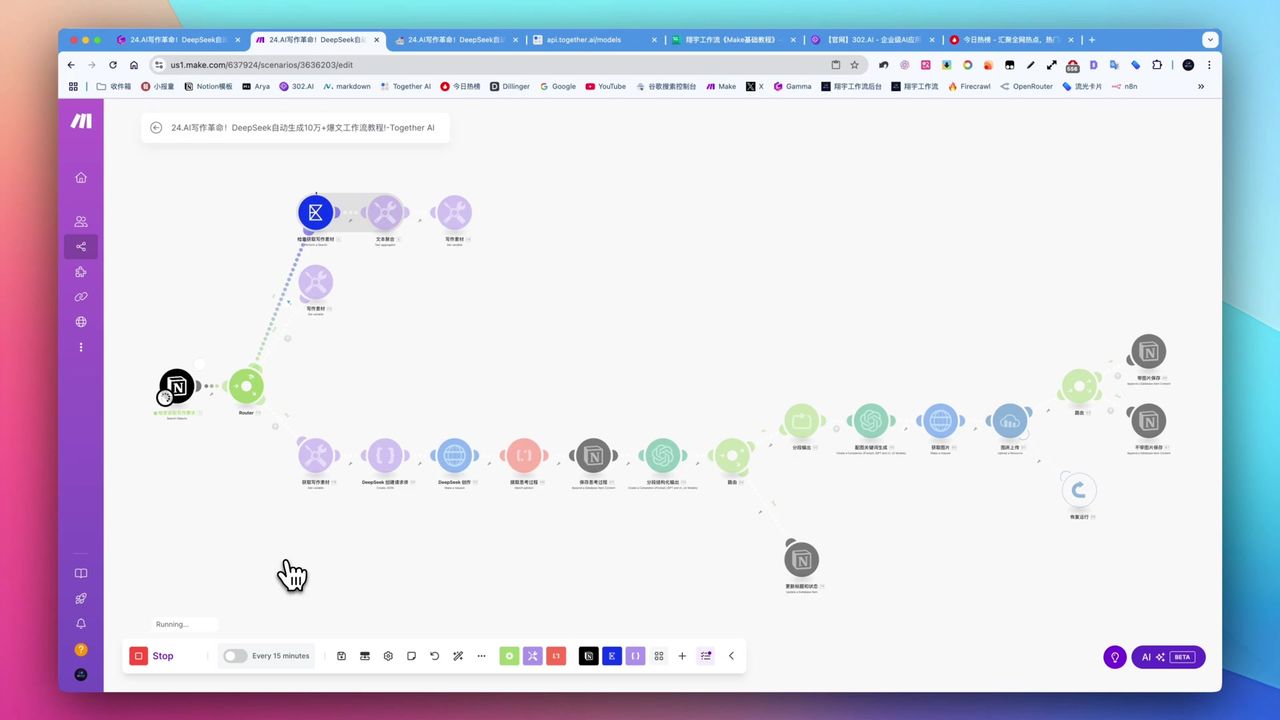
Create Viral Content with Make.com & DeepSeek AI
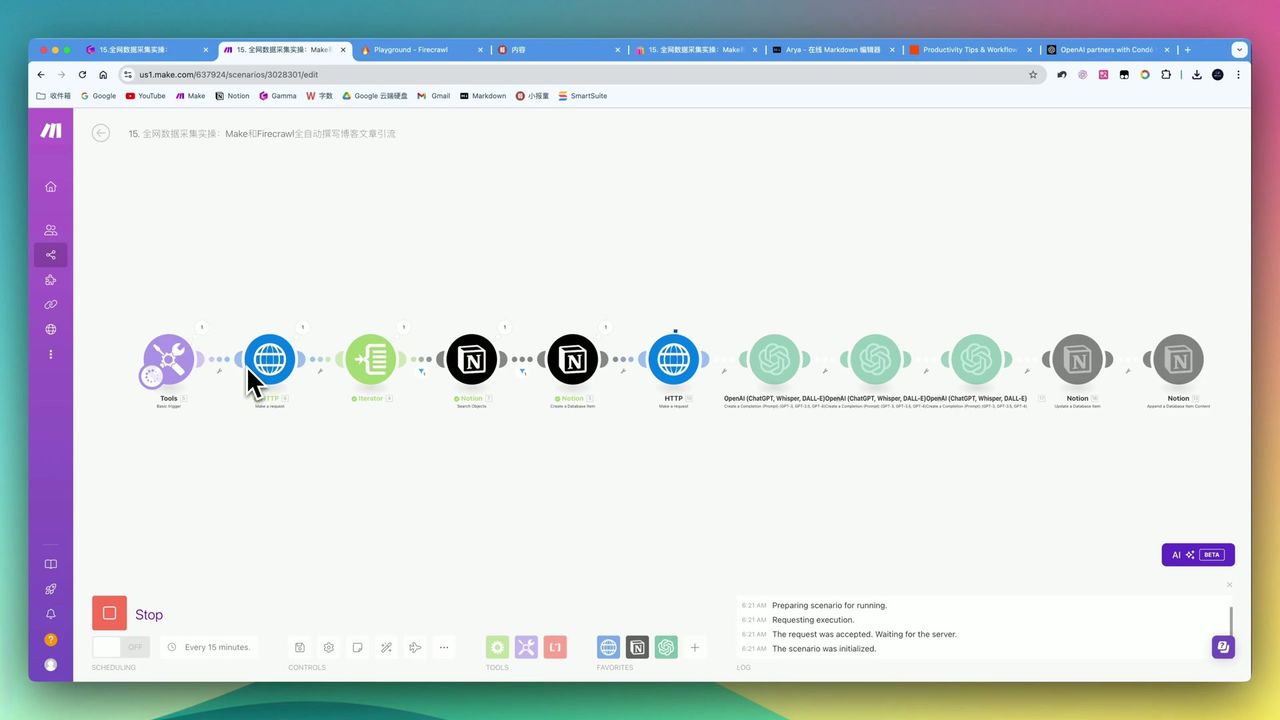
Automate Blog Writing with Make.com & Firecrawl Web Scraper
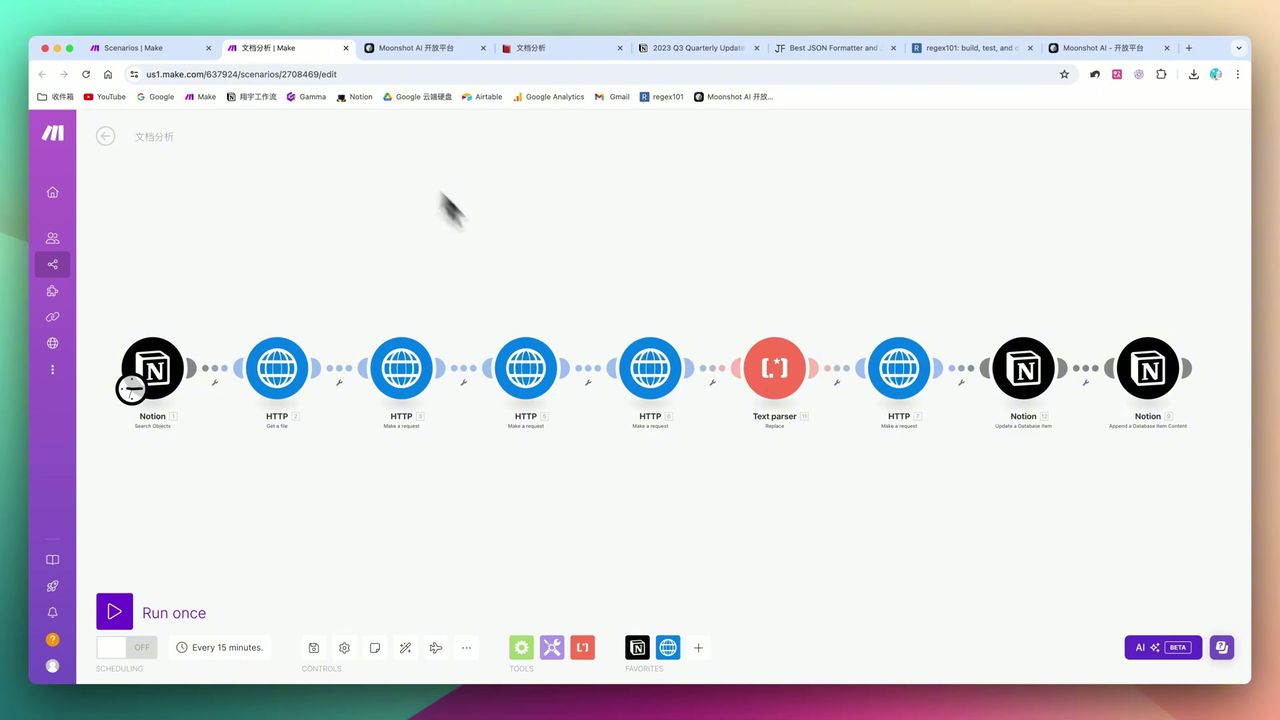
Automate PDF Analysis with Make.com & Kimi 128K Context
Build Multimodal Video Scripts with Make.com
About the author
Alex Chen
Automation Expert & Technical Writer
Alex Chen is a certified Make.com expert with 5+ years of experience building enterprise automation solutions. Former software engineer at tech startups, now dedicated to helping businesses leverage AI and no-code tools for efficiency.
Credentials