Build Multimodal Video Scripts with Make.com
Transform text, audio & video into viral scripts using Google Gemini, Replicate & DeepSeek R1. Automate multimodal content creation for social media.
Ready to automate?
Start building this workflow with Make.com — free forever on the starter plan.
Overview
This is a multimodal AI content creation automation solution.
Whether your material is text, audio, or video, it can be automatically transformed into stylized scripts:
- Material Input - Input text or audio/video links in Notion
- Smart Recognition - Auto-detect material type and select processing pipeline
- Content Extraction - Gemini analyzes video / Replicate transcribes audio
- Segment Processing - DataStore intelligently segments long texts
- Style Generation - DeepSeek R1 generates social media-optimized scripts
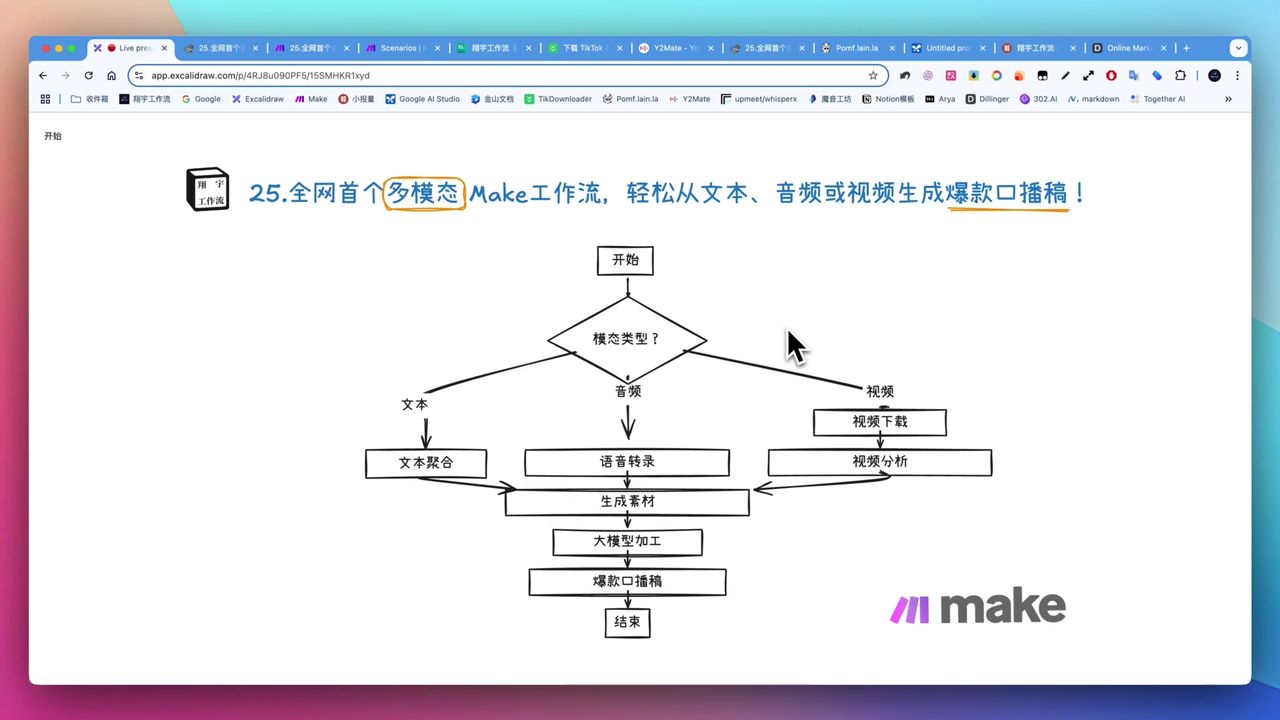 Workflow supporting text, audio, and video multimodal inputs
Core Decision Factors
When choosing multimodal content generation solutions, consider:
- Multimodal Support - Can it handle text, audio, video, and other materials
- Content Quality - Logical coherence and stylization level of generated content
- Long Text Capability - Ability to process thousands of words
- Cost-effectiveness - Balance between API costs and output value
- Ease of Use - Complexity of workflow setup and daily operations
Technical Specifications
| Specification | Value | Notes |
|---|---|---|
| Core Platform | Make.com | Workflow orchestration |
| Database | Notion | Material management & result storage |
| Video Analysis | Google Gemini Pro | Flash model deep analysis |
| Material Processing | OpenAI GPT-4o Mini | Initial extraction & processing |
| Data Storage | Make DataStore | Long text segmentation storage |
| Script Generation | Volcano Engine DeepSeek R1 | Stylized writing |
| Audio Transcription | Replicate | Fast long audio transcription |
| Generation Cost | ~$1/million tokens | Can generate 300-400k words |
| Video Analysis Time | 150-200 seconds | Wait after video upload |
| Script Duration | 280-300 words/minute | 3000 words supports 10-minute video |
Prerequisites
Before starting, ensure you have:
- Make.com account (free registration)
- Notion account and database
- Google Gemini API key
- Volcano Engine API key (ByteDance DeepSeek R1)
- Replicate account (audio transcription)
- Open-source direct-link cloud storage (for audio/video file storage)
Notion Database Structure
Create material management database with these fields:
- Material Type (Select) - Text/Audio/Video
- Material Content (Text) - Text content or audio/video link
- Status (Select) - Pending/Started/Completed
- Writing Style (Text) - Expected script style
- Additional Requirements (Text) - Other customization needs
- Generated Result (Text) - AI-generated script
Multimodal Processing Architecture
Text Material Processing
Directly pass text content to generation module:
Process:
- Fetch text material from Notion
- Use GPT-4o Mini for initial processing
- Pass to DeepSeek R1 to generate script
Audio Material Processing
Use Replicate for audio transcription:
Configuration Points:
- Supports long audio (tens of minutes) processing
- Excellent Chinese and English recognition
- More stable than OpenAI official module
Process:
- Get audio direct link URL
- Replicate transcribes to text
- Pass to generation module
Video Material Processing
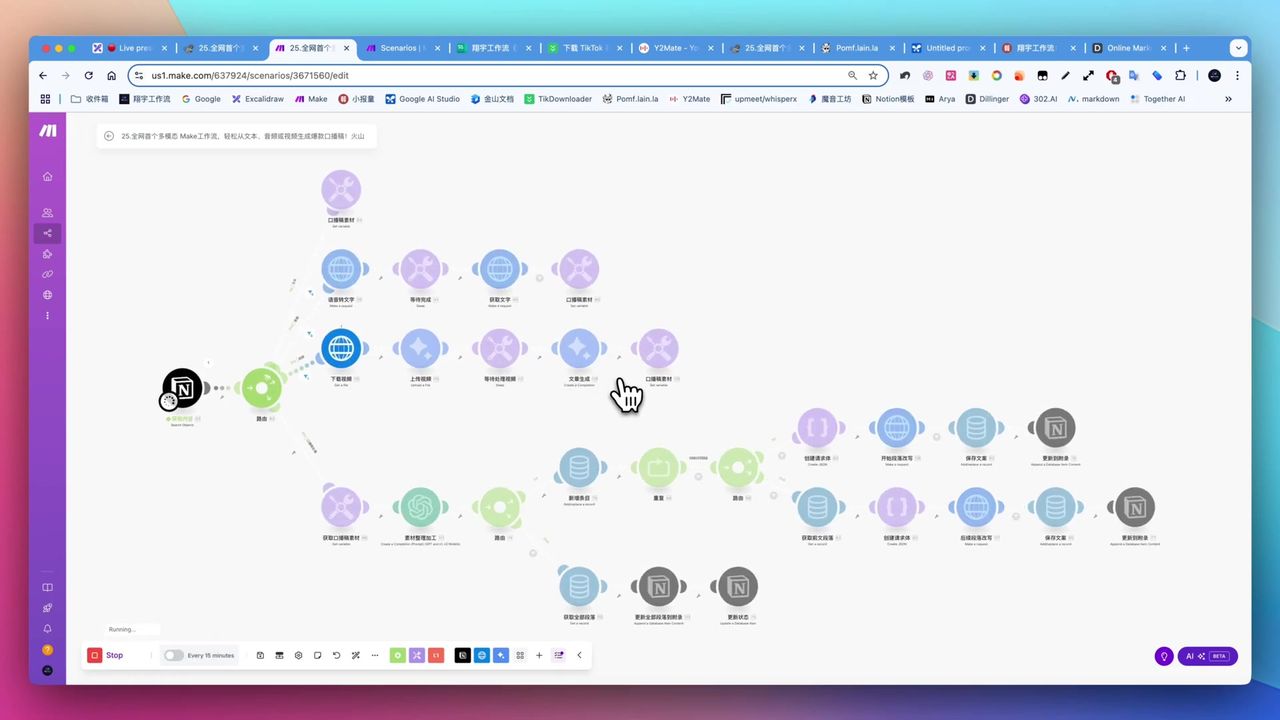 Multimodal workflow module connections in Make platform
Use Google Gemini for deep video analysis:
Configuration Points:
- Upload video file to Gemini
- Wait 150-200 seconds for analysis
- Output precise transcript
Process:
- Download video and get direct link
- Upload to Google Gemini
- Deep analysis to extract content
- Pass to generation module
Long Text Segmentation Processing
Core mechanism to solve large model single output 1000-2000 word limits:
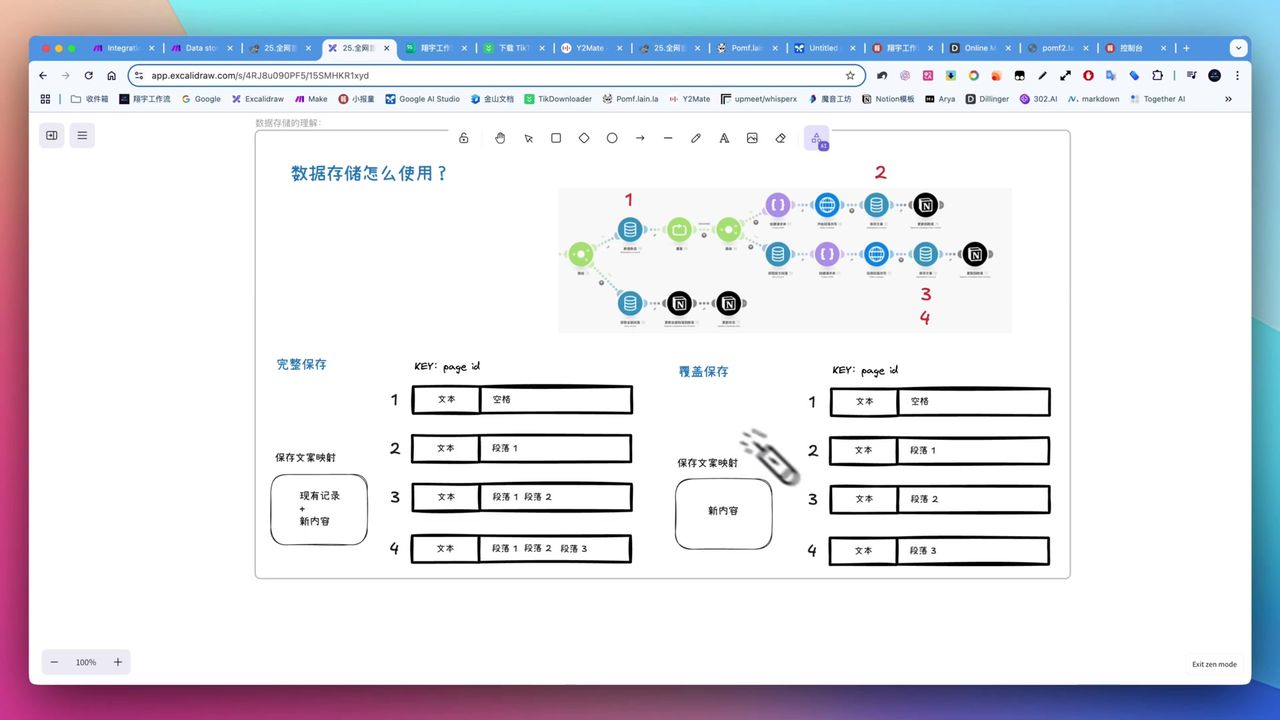 DataStore data storage and flow diagram
Implementation:
- Smart Segmentation - Divide long materials into 500/1000-word segments
- DataStore Storage - Save generated content as context
- Repeater Loop - Generate and accumulate segment by segment
- Differentiated Prompts - Use different strategies for first and subsequent segments
First Segment Prompt:
Based on the following material, generate the opening part of a script.
Requirements: Conversational social media style, capture audience attention...
Subsequent Segment Prompt:
Continue generating script content, maintaining coherence with previous text.
Previously generated content: {{previous_content}}
Current material segment: {{current_segment}}
Stylized Writing
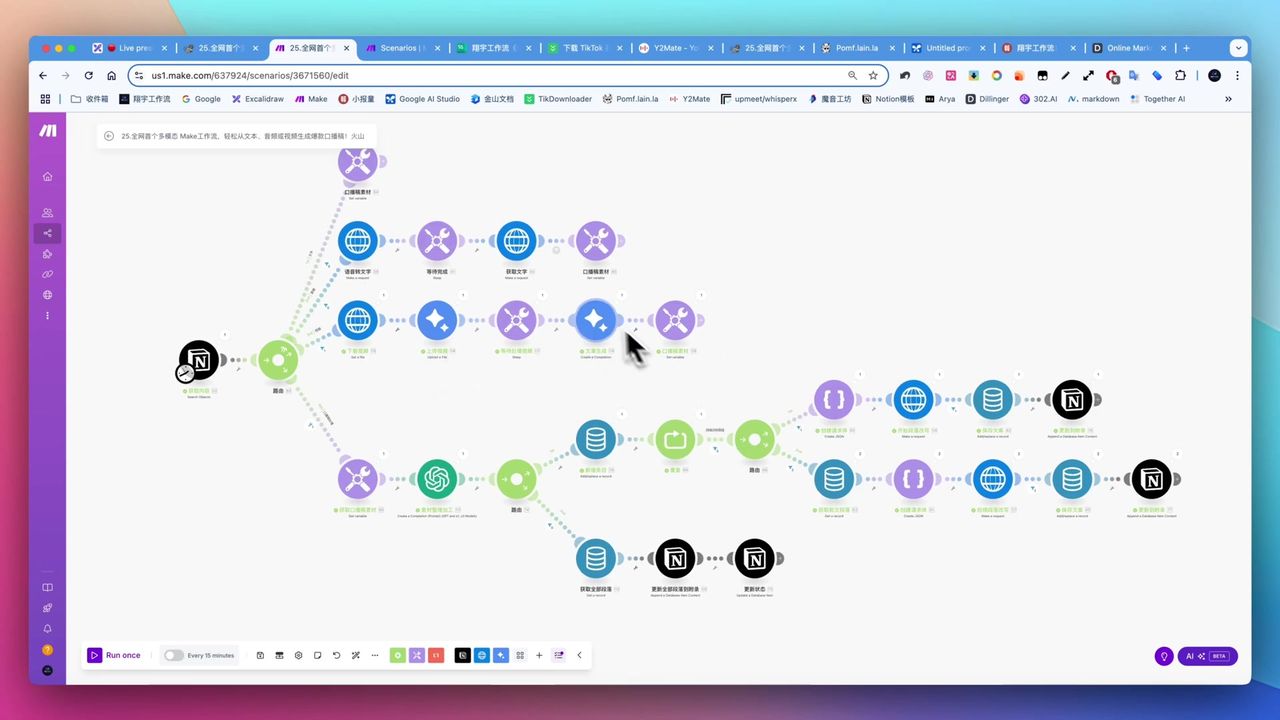 AI-generated script content and segmented layout
Volcano Engine DeepSeek R1’s stylization capabilities:
Features:
- Supports separating thinking process from content
- Transforms serious content into conversational expression
- Adapts to finance, film, parenting, and multiple domains
Style Transformation Examples:
- Economic theory → “Cycle of seasons” metaphors
- Technical jargon → Vivid analogies and storytelling
- Formal language → Social media conversational hooks
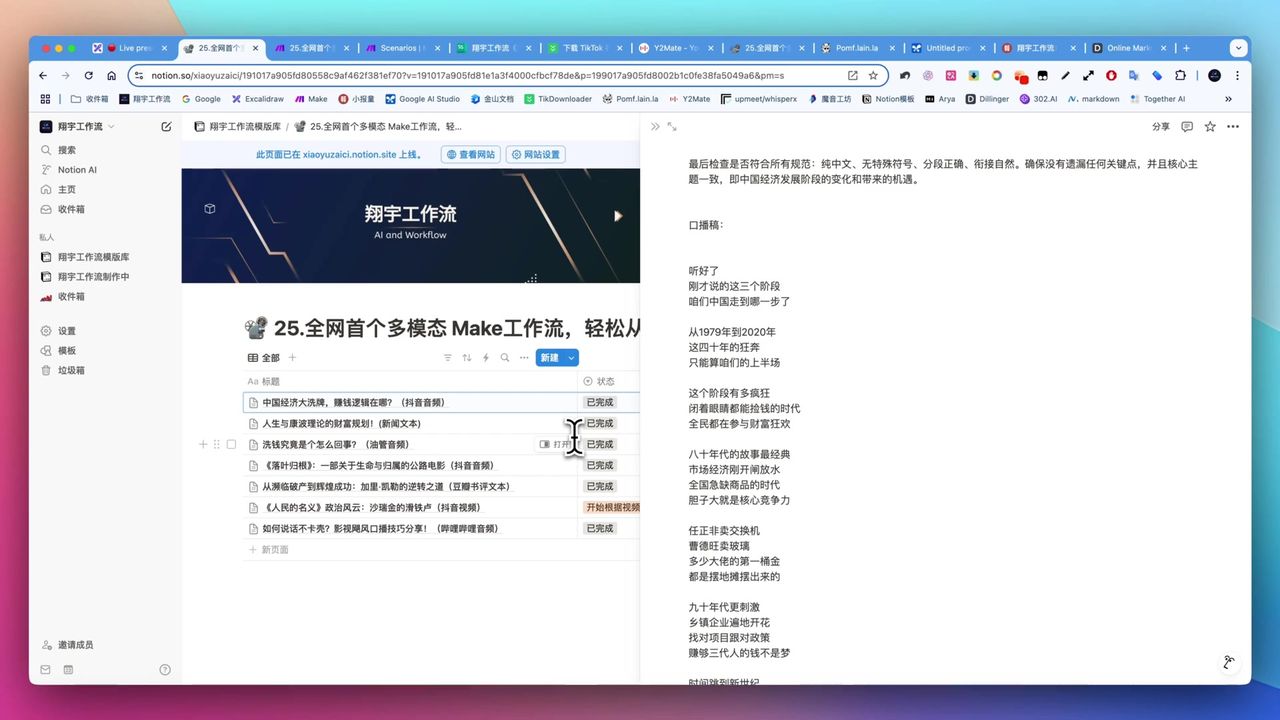 News text transformed into social media style script
Gotchas
Common issues during setup:
-
Manual Preprocessing - Video downloading and direct-link generation require manual work
-
Learning Curve - Make workflow setup and logic understanding require time investment
-
Over-stylization - DeepSeek R1 may add elements not in original text; requires human review
-
Notion Permission Config - New databases need separate Make authorization access
-
File Size Limits - Make free tier has small file download limits; large videos need manual upload
-
Content Expansion Risk - With limited material, AI expansion may introduce non-original elements
Use Cases
Recommended Users
- Content Creators - Short video, live stream professionals needing efficient scripts
- Content Repurposers - Users transforming audio/video materials into text content
- Style Differentiation Seekers - Creators wanting to transform serious content into conversational style
- Efficiency Pursuers - Willing to invest time learning for scale production
May Not Suit
- Users completely unwilling to learn new tools
- Users with extremely high accuracy requirements unwilling to review
- Users resistant to API configuration and third-party tool integration
FAQ
What material types are supported?
Supports three types: text, audio (MP3), and video (MP4). Can source materials from YouTube, social platforms, or any video sharing sites.
How to handle long text output limits?
The workflow uses Make DataStore and Repeater modules for intelligent segmentation, with different prompts for first and subsequent segments to ensure context coherence.
Is generation cost high?
Volcano Engine DeepSeek R1 costs ~$1/million tokens, can generate 300,000-400,000 words of scripts. Extremely cost-effective for multiple iterations.
How long does video analysis take?
Google Gemini video analysis takes approximately 150-200 seconds, depending on video length and complexity.
Next Steps
After mastering basics, you can try:
- Adding more writing style templates
- Integrating auto-download tools to reduce manual steps
- Adding multi-platform one-click distribution
- Building script quality scoring and filtering mechanisms
Questions? Feel free to leave comments!
FAQ
- What material types are supported?
- Supports three types: text, audio (MP3), and video (MP4). Can source materials from YouTube, social platforms, or any video sharing sites.
- How to handle long text output limits?
- The workflow uses Make DataStore and Repeater modules for intelligent segmentation, with different prompts for first and subsequent segments to ensure context coherence.
- Is generation cost high?
- Volcano Engine DeepSeek R1 costs ~$1/million tokens, can generate 300,000-400,000 words of scripts. Extremely cost-effective for multiple iterations.
- How long does video analysis take?
- Google Gemini video analysis takes approximately 150-200 seconds, depending on video length and complexity.
Start Building Your Automation Today
Join 500,000+ users automating their work with Make.com. No coding required, free to start.
Get Started FreeRelated Tutorials
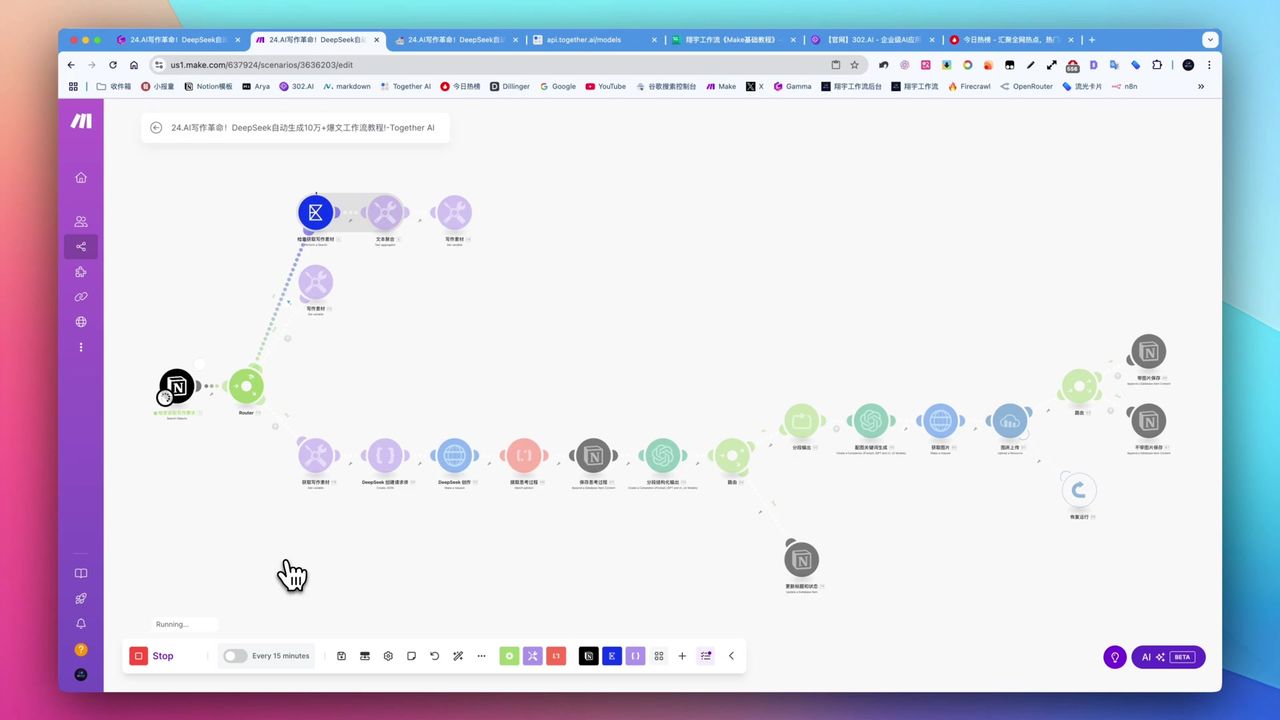
Create Viral Content with Make.com & DeepSeek AI
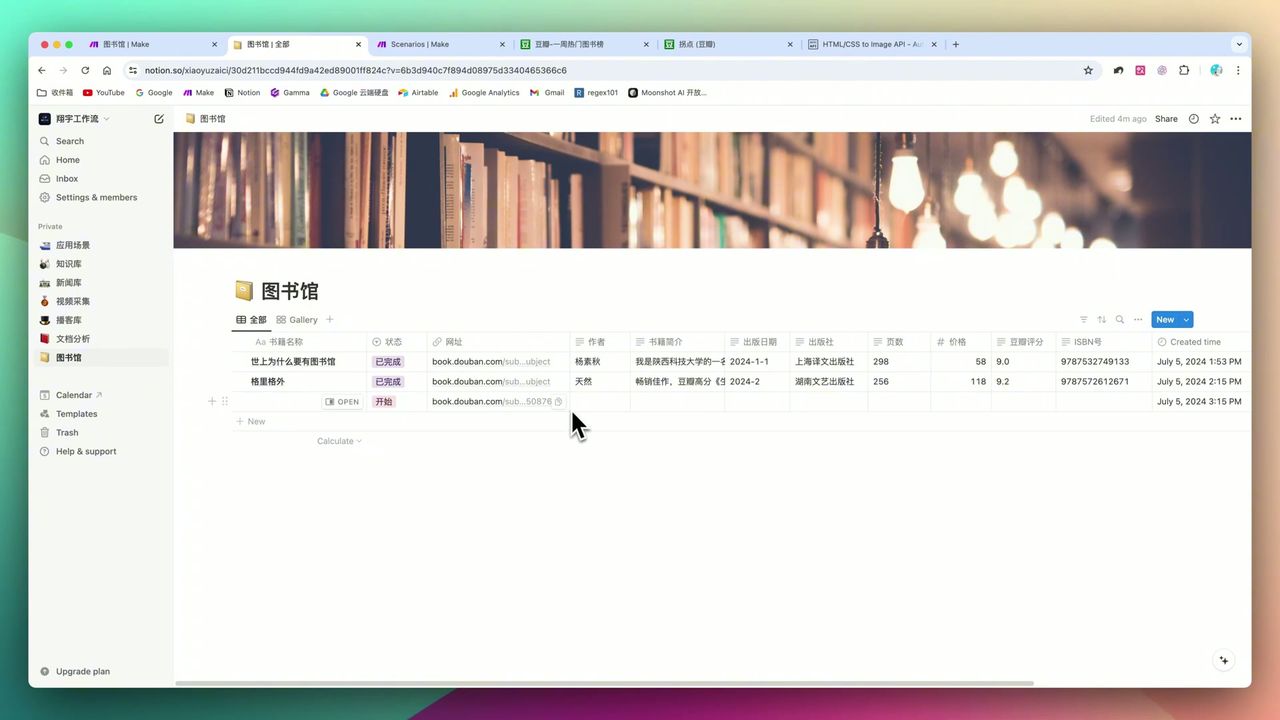
Build Notion Book Library with Make.com & GPT-4o Vision
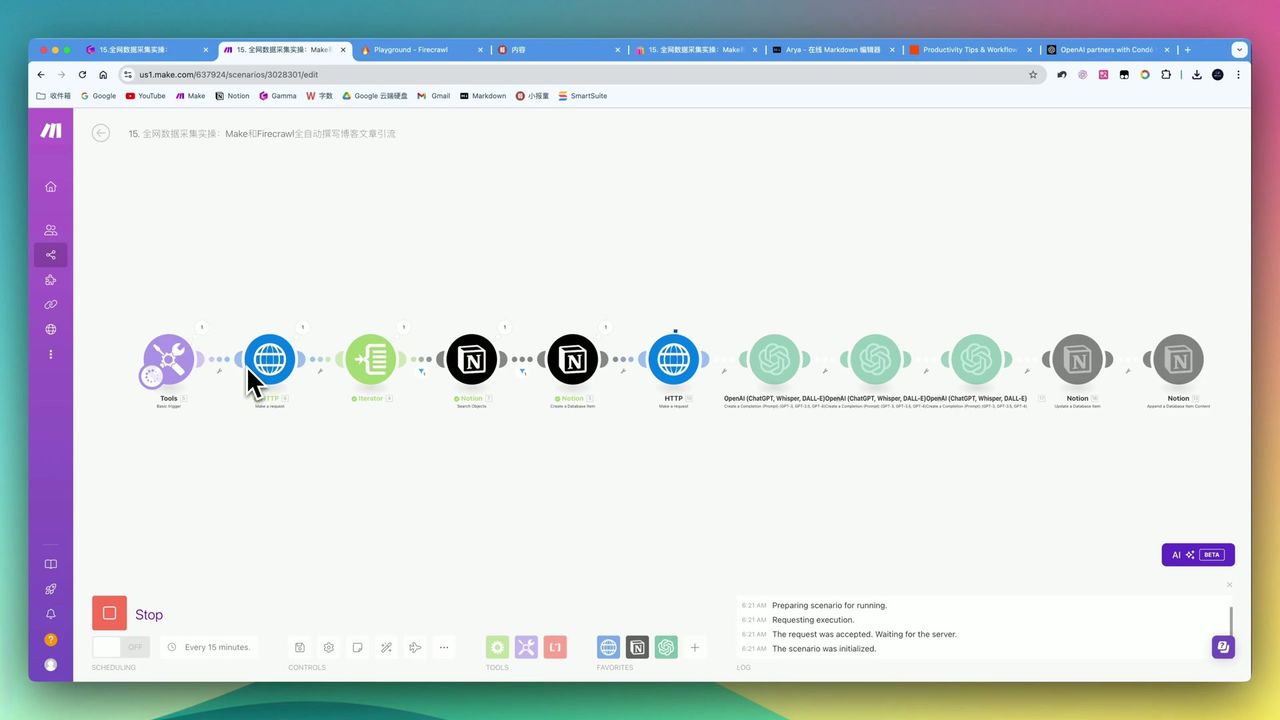
Automate Blog Writing with Make.com & Firecrawl Web Scraper
Automate PDF Analysis with Make.com & Kimi 128K Context
About the author
Alex Chen
Automation Expert & Technical Writer
Alex Chen is a certified Make.com expert with 5+ years of experience building enterprise automation solutions. Former software engineer at tech startups, now dedicated to helping businesses leverage AI and no-code tools for efficiency.
Credentials